
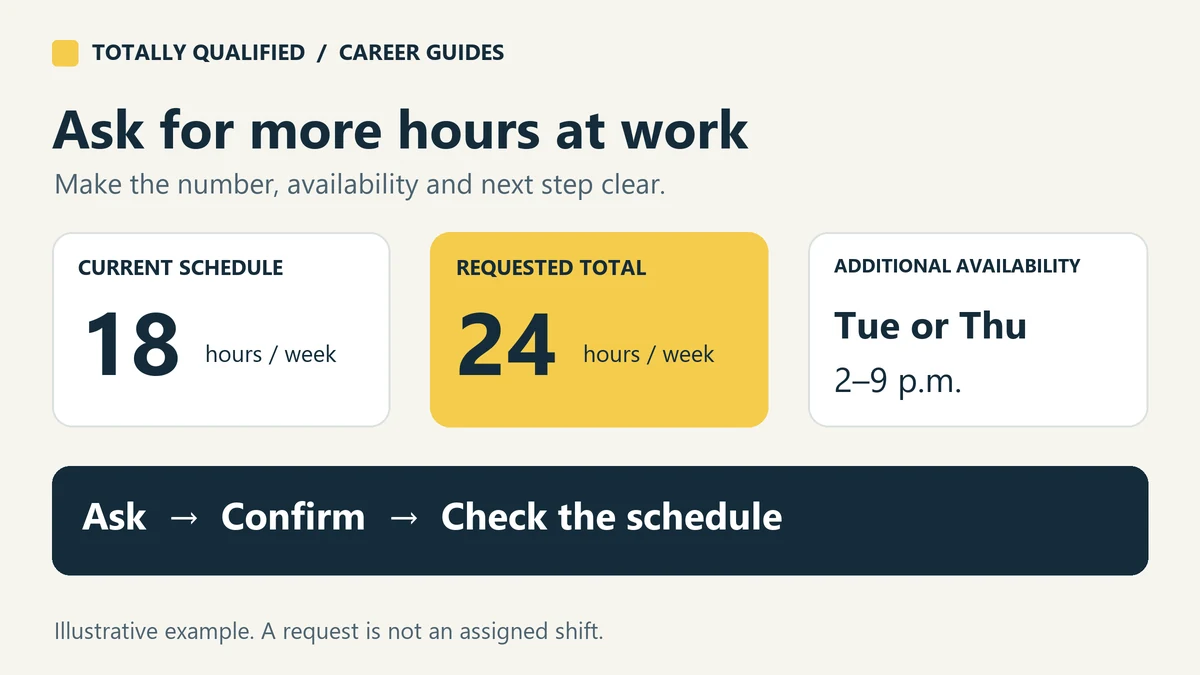
To ask for more hours at work, tell your manager how many hours you currently receive, the weekly total you would like, and the days you can reliably cover. Ask whether that increase is possible for an upcoming schedule, then confirm what was actually approved. A specific request gives your manager something they can schedule around.
This guide is for hourly employees who already have the job. It includes original text and email examples for recurring hours, a single extra shift and temporary coverage. The people and situations are fictional; replace the details with your own before sending a message.
Decide whether you want one shift or more hours every week
“I can help this Saturday” and “I need about 24 hours each week” ask for different arrangements. Decide which would actually help you before volunteering for anything available.
| Your goal | What to specify | What to confirm |
|---|---|---|
| One extra shift | The date and times you can cover | That specific shift is assigned to you |
| More hours each week | Your current hours, target total and start date | Whether the increase is ongoing or occasional |
| Temporary extra hours | A start date, end date and workable weekly limit | What happens when the temporary period ends |
Keep the target realistic. If you normally receive 18 hours and want 24, you are asking for about six additional paid hours, not “24 more hours.” A wider availability window also does not automatically create more work. If your request changes the days or times you can work, follow the process in our guide to telling your manager your availability has changed.
Prepare the details your manager needs
Look at several recent schedules so you can describe your usual hours rather than treating one unusually quiet week as the normal pattern. Then write down:
- Your current and desired hours: for example, usually 18–20 paid hours a week, with a target of 24–26.
- Usable time windows: include travel time, classes, another job and a latest finish time you can keep.
- The kind of work you can cover: mention tasks you are already trained and authorized to do. If another role needs training, ask about that first.
- When the change should start: the next unpublished schedule, a particular date or a temporary period.
Find out who assigns shifts and which channel they use. You can ask for a short conversation during a quieter moment, then send a written recap. If your workplace handles requests through a scheduling app, use that process too. Sending the same request to several supervisors without explaining that can create conflicting answers.
It is reasonable to say you want steadier income. You do not need a long account of your finances. Pair the reason with the practical request: the hours you want and the coverage you can offer.
Text and email examples for asking for more hours
Use these as starting points. Only offer days, duties and commitments that are true for you.
1. A short text asking for more weekly hours
Hi Jordan, I’ve been scheduled for around 18 hours a week and would like to work about 24. For the next schedule, I can also cover Tuesday or Thursday between 2 and 9 p.m.; my other availability is unchanged. Could you consider me for additional hours in those windows? Please let me know if I should submit this somewhere else. Thanks, Alex.
This works when texting is an accepted work channel. It gives a target total and specific windows without promising unlimited availability.
2. An email requesting a regular increase
Subject: Request for additional weekly hours
Hi Jordan,
I’d like to discuss increasing my weekly hours. My recent schedules have been around 20 hours, and I’m hoping to reach 28 starting with the schedule for [start date].
I can add Saturdays between 8 a.m. and 5 p.m. to my current availability. I’m already trained on the register and stock replenishment, so I could cover either area if those shifts are available.
Is that increase workable on an ongoing basis, or would extra hours be occasional? I’m available to talk after my next shift. Thank you for considering it.
Alex
Replace the duties with your actual skills. If the manager can offer only occasional coverage, that is useful information; it is different from an ongoing increase you can plan around.
3. A message offering to cover one extra shift
Hi Jordan, I’m available this Saturday, [shift date], from 9 a.m. to 4 p.m. if you need extra front-desk coverage. I’d like an additional shift that day. Is there one I’m eligible to take, and should I request it in the app? Please confirm the assigned start and finish times before I make plans to come in.
For an already posted opening, identify the exact shift instead. Check the location and duties as well as the hours; being free at that time does not mean you are trained for every available assignment.
4. A request for temporary or seasonal hours
Hi Jordan, from [start date] through [end date], I can work up to 30 paid hours a week instead of my usual 20. During that period I can add Fridays from 1 to 9 p.m. and Saturdays from 8 a.m. to 5 p.m. If you need more coverage, could I be considered? After [end date], I’ll need to return to my usual availability. Please let me know what hours you expect to be able to offer.
State the end date when you know it. Temporary availability should not leave the scheduler guessing whether you can keep those hours afterward.
5. A request when you are still new
Hi Jordan, I’d be interested in more hours as I get settled in. I’m currently scheduled for about 16 a week and would like to reach 22. Are there additional shifts I can cover with my current training, or a training step I should complete first? I can work within the availability I submitted and am happy to discuss what is realistic.
You can ask about the opportunity without pretending to be ready for duties you have not learned. An extra training shift and a permanent increase are different arrangements, so clarify what is being offered.
Picking up a shift: check whether you are requesting or accepting it
A coworker saying “you can have my shift” may still require a transfer through your workplace’s process. Ask how open shifts and coverage requests become confirmed assignments.
For example, When I Work distinguishes taking a coworker’s shift from swapping one of your own. A swap can change your working times without increasing your total hours. Its OpenShift guidance also distinguishes bidding for a shift when approval is required from taking a shift immediately when approval is not required. Your workplace’s settings matter.
Before attending, check that the schedule shows the assignment or obtain confirmation through the designated channel. Verify the date, location, role, start and finish times, and any approval needed. Do not assume that expressing interest gives you permission to start early or stay late.
If your manager says no—or does not answer
Ask what is limiting the hours. The answer could be the available shifts, required training, your time windows or the staffing budget. That helps you decide whether there is a workable alternative.
You might ask to be considered for approved open shifts, discuss training for another assignment, or agree on a date to revisit the request. Avoid offering availability you cannot maintain just to get a yes.
If there is no response, follow up around the actual scheduling deadline rather than using an arbitrary waiting period:
Hi Jordan, following up on my request to increase from around 18 to 24 hours a week. I understand the next schedule is being prepared on [day]. Could you let me know whether any additional hours are available, or when we could revisit it? My availability is the same as in my earlier message. Thanks.
If you do not know when schedules are prepared, ask. A clear answer that no additional hours are expected may help you plan better than an indefinite “maybe.” If you need a dependable minimum, discuss that explicitly; our guide to whether part-time jobs guarantee hours explains the difference between an estimate and a commitment.
Confirm the arrangement and check the pay
When the answer is yes, send a brief recap: the first affected schedule, expected paid hours, any added availability and whether the arrangement is temporary. Check the next posted schedule against that recap. “We’ll try to give you more” still needs a concrete follow-up.
Additional hours are not automatically overtime. Moving from 18 to 24 hours does not, by itself, cross the federal weekly overtime threshold. The U.S. Department of Labor explains that covered, nonexempt employees generally qualify for at least 1.5 times their regular rate for hours worked beyond 40 in a workweek. State rules or applicable agreements can provide additional protections; the federal rule is not the complete answer for every worker.
Keep your own record of the hours you work. When the relevant paycheck arrives, compare it with the hours and rates shown using our guide to reading your first pay stub. Bring specific dates and missing or incorrect entries to payroll if something does not match.
Before sending your request, you should be able to answer three questions: How many hours do I want, when can I work them, and what confirmation do I need? Those details make it easier to turn the conversation into a schedule you understand.